Smoke and Vape Store POS Software for Variant Products and Repeat Purchasing
MTPOS helps smoke and vape retailers manage broad product assortments, purchasing, inventory, customer programs, secure payments and multi-store operations from one cloud retail platform.
Keeping product variety, inventory and controlled sales organized
Small product differences matter
Organize products by category, brand, flavor, strength, size, format and other store-defined attributes.
The main item often needs supporting products
Connect devices, consumables, replacement parts, accessories and eligible complementary merchandise in one transaction.
Repeat purchasing drives the business
Support frequent replenishment, customer programs, stock transfers and multi-store visibility without losing control.
Trusted by Enterprises Worldwide
Enterprise-grade capabilities for independent smoke shops and growing retail groups
MTPOS connects secure checkout with catalog management, purchasing, inventory control, customer programs, registers, eCommerce and multi-location operations.
Help employees navigate products, variants and accessories without slowing the transaction
Smoke and vape retail combines fast-moving consumables, repeat purchases, device-related accessories and highly specific product variations. MTPOS helps keep those elements organized in one practical retail workflow.
Tobacco, Vape, Accessories and More
Organize store-defined departments, product families and accessories in a clear catalog hierarchy.
Choose the exact brand, flavor, strength, and pack size
Display all available variations clearly so that the cashier can quickly locate and select the correct product.
Add Accessories and Replacements
Connect the main item with compatible accessories, replacement parts and other related merchandise.
Rewards, Store Credit and Gift Cards
Support configured customer programs for repeat purchasing where permitted by applicable law and store policy.
Make a variant-heavy assortment easier to browse, explain and sell
Organize products by category, brand, flavor, strength, size, format and other store-defined attributes without reducing every item to a generic SKU.
Clear Product Families
Structure tobacco products, vape products, devices, accessories, storage products and other store categories.
Variations and Attributes
Configure flavor, strength, size, capacity, format and other relevant product details.
Related Products
Surface accessories, replacement parts and other complementary merchandise during order creation.
Consumer and Store-Defined Products
Manage different retail categories in one flexible catalog while keeping product details organized.
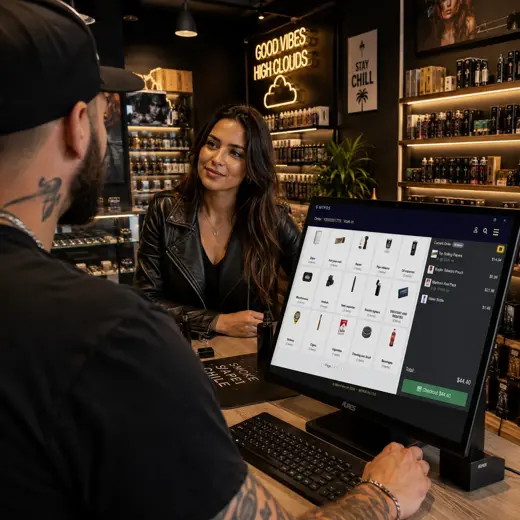
Keep fast-moving inventory and essential accessories available across the operation
Smoke and vape stores manage many small, frequently replenished products. MTPOS supports purchasing, receiving, stock counts, transfers and replenishment across one or multiple locations.
- ✓ Manage products and accessories
- ✓ Create purchase orders and receive inventory
- ✓ Use minimum and maximum stock levels to create automatic purchase orders
- ✓ Transfer products between stores and locations
- ✓ Perform cycle counts and inventory audits
- ✓ Review inventory and purchasing activity through reporting
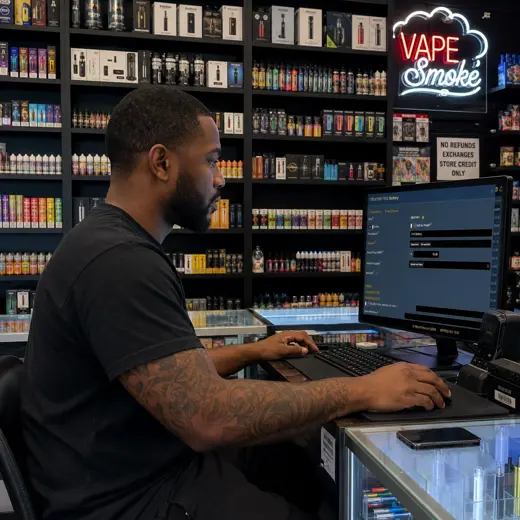
Support eligible merchandise that is priced by measured quantity
The MTPOS Professional edition includes Item Sold by Weight for eligible products that the store chooses to sell according to measured weight.
The exact workflow depends on the catalog, pricing setup, selected plan, applicable law and connected equipment.
Eligible Bulk Merchandise
Configure suitable products to be sold according to measured weight rather than only as fixed units.
Clear Transaction Detail
Keep the measured quantity connected to the product and the completed transaction.
One Flexible Catalog
Manage fixed-price products and eligible sold-by-weight merchandise in the same retail catalog.
Plan and Policy Dependent
Availability depends on the selected edition, store configuration and local regulatory requirements.
Move from product family to exact variant, related item and controlled checkout
Identify the Product Type
Begin with the relevant store category or product family before narrowing the selection.
Choose the Exact Product
Compare flavor, strength, size, capacity, format or other configured product attributes.
Confirm Availability
Check local stock or determine whether the product is available at another store or location.
Add Related Products
Add accessories, replacement parts or other store-defined complementary merchandise.
Complete the Controlled Sale
Apply eligible store rules, process payment and keep the transaction connected to reporting and customer data.
MTPOS does not replace the retailer's legal obligations, staff training or required age-verification procedures.
Support repeat purchasing while keeping store policy and regulation in view
Use configured promotions and customer programs for eligible products and transactions where permitted by applicable law and store policy.
Advanced Promotions
Create configured offers around eligible products, accessories and store-defined campaigns.
Customer Rewards
Support repeat-purchase programs where legally permitted and enabled by store policy.
Store Credit and Gift Cards
Provide configured customer-service and gifting options for eligible transactions.
Employee Sales Commission
Support configured commission workflows for stores that reward product knowledge and service.
Promotion and customer-program availability may be restricted by local law, product category and store policy.
Keep transactions fast while staff remain in control of regulated sales
MTPOS connects supported payment processing to the wider retail workflow while the retailer remains responsible for required age-verification and legal compliance.
Card and Contactless Payments
Accept supported credit cards, debit cards, EMV, tap, swipe and contactless mobile payments.
PCI-Compliant Processing
Use PCI-compliant payment processing with end-to-end encryption through supported integrations.
Flexible Payment Methods
Support cash, cards, wire, PayPal, Stripe, checks and other configured payment methods.
Multi-Currency
Support configured multi-currency workflows for retailers serving eligible international customers.
Payment capabilities depend on the selected integrations, plan and configuration.
Use flexible selling channels only where the product, law and store policy allow
MTPOS provides flexible retail capabilities, but regulated products may require additional controls or may not be suitable for every sales channel.
Mobile POS
Check product details and stock while keeping the transaction under staff control.
Online Store
Extend eligible products online only where legal, operational and age-verification requirements are satisfied.
Selective Self-Checkout
Use self-checkout only for eligible products and only where store policy and local law permit it.
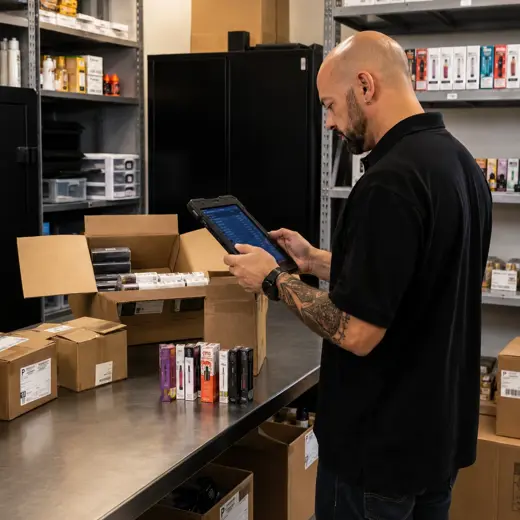
One platform for checkout and the operation behind it
Point of Sale
Process variant-rich products, accessories and eligible related merchandise in one retail workflow.
Inventory
Manage fast-moving products, variants, accessories and consumables efficiently.
Purchase Orders
Support purchasing, receiving and replenishment across a broad smoke and vape catalog.
Item Sold by Weight
Support eligible merchandise sold according to measured weight in supported editions.
Advanced Promotions
Create configured offers for eligible products and campaigns where permitted.
Customer Programs
Use rewards, store credit, pay-on-account and gift cards where legally permitted and configured.
Employee Sales Commission
Support configured commission workflows for knowledgeable, staff-assisted selling.
Reservations
Hold eligible products when the selected plan, store policy and local law permit it.
Multiple Stores and Transfers
Coordinate product movement and availability across stores and other configured locations.
Cash and Store Management
Manage configured registers, safes, bank deposits, business expenses and daily cash activity.
eCommerce and Data Import
Extend eligible products online and accelerate onboarding through supported data-import capabilities.
Self-Checkout Kiosk
Use self-checkout only for eligible products and only where local law and store policy allow.
Available capabilities depend on the selected MTPOS plan, integrations, store configuration and applicable law.
Expand confidently while keeping product variants, inventory, and staff procedures under control.
Start with one location and expand to more users, registers and stores while maintaining centralized catalog, inventory, payment and customer control.
For larger rollouts, custom requirements or private-cloud deployment, MicroTelecom also provides an enterprise path.
Choose the Right MTPOS Edition
Match your operation with the required level of purchasing, sold-by-weight capability, promotions, customer programs, online selling and multi-store control.
Questions Smoke and Vape Retailers Ask Before Choosing a POS
Connect variant-rich products, repeat purchasing and store control in one platform
Use MTPOS to manage product variations, inventory, purchasing, customer programs, payments and store growth from one cloud retail platform.