What Retail POS Software Should Cover Before You Choose
A complete retail POS application should connect checkout with products, inventory, payments, customers, employees, reporting and store operations. This guide explains the capabilities to evaluate and shows where to review each MTPOS function in more detail.
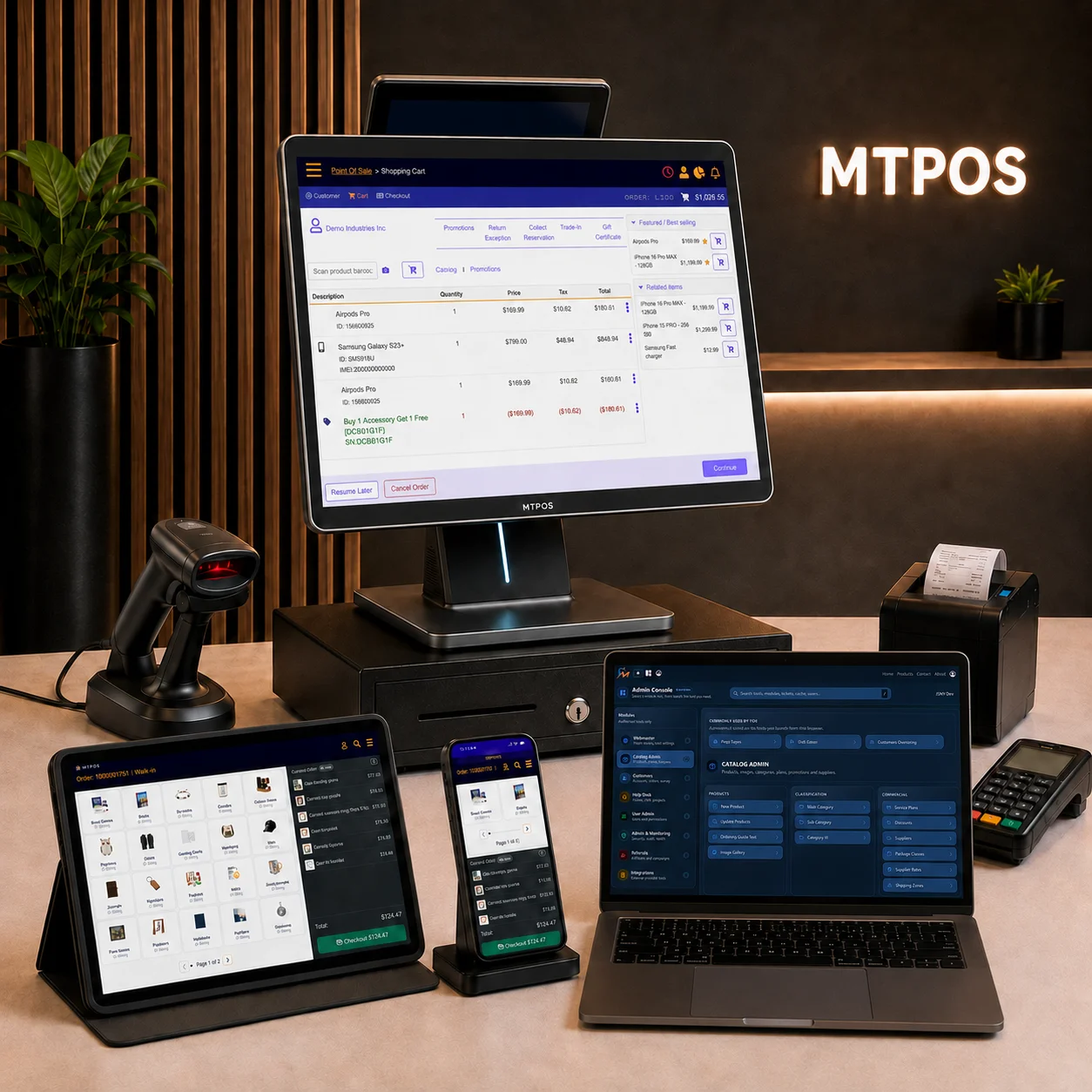
Sell and Take Payment
Sales, returns, tenders and receipts
Control Products and Stock
Catalog, purchasing, movement and counts
Serve Customers and Teams
Profiles, permissions, approvals and history
Review the Operation
Reports, stores, registers and exceptions
Follow the Retail Transaction From Setup to Review
The strongest POS software supports the work before, during and after checkout rather than treating every sale as an isolated payment.
Prepare the Sale
Configure products, services, categories, pricing, taxes, promotions, stock locations and the rules employees need before serving a customer.
Complete the Transaction
Find items, build an order, identify the customer, apply permitted offers and complete a sale, return, exchange or other supported transaction.
Update the Operation
Record payment activity, update stock, preserve order history and make the transaction available for fulfillment, service, reconciliation and reporting.
Review and Act
Use reports, alerts, approvals and activity records to identify what needs attention across sales, inventory, users, registers and locations.
Check the Selling Workflow Before Comparing Feature Lists
A POS can support many features and still slow down the counter. Review how employees find products, identify customers, apply permissions, accept payment and resolve common transaction changes.
Review Payment Terminal OptionsTransaction Coverage
Confirm support for the sales, returns, exchanges, discounts, deposits, reservations, account payments and other transaction types your operation actually uses.
Payment Configuration
Verify the payment processors, terminals, currencies, tender types and refund rules available for your country and selected deployment.
Role-Based Control
Review who can discount, void, refund, change prices, open drawers or approve sensitive actions at the register.
Customer-Facing Options
Decide whether the business needs cashier-assisted checkout, mobile selling, customer displays, supported self-checkout or a combination of workflows.
Match Inventory Depth to the Products You Sell
A simple quantity field may be sufficient for some stores. Other retailers need purchasing, receiving, locations, transfers, reservations, serialized products, cycle counts and replenishment controls.
Questions to ask about stock and products
- Does the catalog support physical products, services and any digital items you sell?
- Do you need standard quantities, item-level serial tracking or both?
- Can staff receive, transfer, reserve, return and count stock using the same records?
- Can the system identify the store, warehouse or configured location holding an item?
- Are purchase orders, min/max replenishment and supplier workflows required?
- Can authorized teams manage central products while preserving approved local flexibility?
Evaluate the Information and Permissions Around the Sale
Retail teams need enough information to serve the customer while the business retains control over sensitive actions, balances, approvals and operational history.
Customer Records
Review customer profiles, purchase history, contact information, preferences and transaction visibility across the required stores or channels.
Credit and Programs
Confirm whether the operation needs store credit, loyalty, gift cards, account billing, customer balances or configured promotional programs.
Employee Access
Check role, store, register and function permissions together with any manager approval, sales attribution or commission requirements.
Operational History
Make sure managers can review the activity needed to answer questions about transactions, payments, users, registers, inventory and locations.
Choose Devices by Task, Not by Marketing Label
The right setup may combine a fixed checkout terminal, browser access and supported mobile devices. Review the work each role performs and the peripherals required at each location before selecting hardware.
Explore Mobile POSFixed Checkout
Suitable where staff need a permanent counter, connected peripherals and a consistent register workflow.
Mobile Operations
Useful for assisted selling, inventory work, approvals, management review and supported transactions away from a fixed counter.
Browser Access
Supports authorized access to management and operational functions from approved locations and devices.
Self-Checkout
Appropriate when the product mix, payment flow, store layout and staffing model support customer-led checkout.
Available device, payment and peripheral options depend on the selected configuration, country and deployment.
Make Sure the Software Explains What Happened
Reports should support real decisions rather than only produce sales totals. Determine which users need access, what level of location detail matters and which exceptions require follow-up.
Reporting areas to verify
Sales and Payments
By store, register, product, employee and period
Inventory Movement
Purchasing, receiving, transfers, counts and adjustments
Customer Activity
Orders, returns, balances, programs and history
Users and Registers
Access, approvals, drawer activity and exceptions
Build a Short Requirement List From Your Real Operation
Use these questions to keep the evaluation focused and avoid paying for a system that does not match the way the business sells, stocks and manages work.
Operation
- How many stores, registers, warehouses and users are required?
- Which sale, return, exchange and fulfillment workflows occur every week?
- Which tasks must employees complete on phones or tablets?
- Which permissions and approvals must be controlled by role?
Products and Connections
- Do products require variants, services, bundles or serial numbers?
- Which payment processor, terminal and currencies are required?
- Is an online store, self-checkout or customer account flow needed?
- Which reports, exports or integrations must be confirmed before rollout?
Continue With the Workflow That Matters Most
This page provides the evaluation framework. Use the detailed pages below for deeper functional information.
Compare the Software Against Your Own Requirements
Start with the guided solution builder or compare the available MTPOS point of sale editions.