POS Software for Furniture Retailers—from Showroom Sale to Delivery
MTPOS helps furniture retailers manage showroom sales, detailed product catalogs, warehouse inventory, purchasing, customer programs, secure payments and multi-location operations from one cloud retail platform.
From showroom selection to ordering and delivery
Customers buy complete rooms, not individual SKUs.
Connect sofas, tables, chairs, storage, rugs and accessories into coordinated room solutions and related-product sales.
Product details influence the decision
Organize furniture by dimensions, material, finish, color, style, collection and other store-defined attributes.
Showroom and warehouse must stay connected
Keep display pieces, sellable stock, incoming inventory and supported transfers visible across the operation.
Trusted by Enterprises Worldwide
Enterprise-grade capabilities for independent furniture stores and growing retail groups
MTPOS connects secure checkout with catalog management, purchasing, inventory control, promotions, customer programs, mobile selling and multi-location operations.
Help customers move from one anchor piece to a coordinated, well-structured purchase
Furniture purchases often begin with one sofa, table or bed and grow into a broader room solution. MTPOS helps employees connect the main item with compatible pieces, accessories and eligible services.
Sofa, Table, Bed or Storage Piece
Begin with the main furniture item that defines the room or customer need.
Compare Size, Material and Finish
Present dimensions, materials, colors, finishes and styles in a way that supports confident comparison.
Add Coordinating Pieces
Connect chairs, tables, rugs, lamps, storage and accessories to the main purchase.
Add Delivery or Installation Services
Include configured delivery, assembly or installation service.
Help customers compare dimensions, finishes, and collections while preserving the details that matter.
Organize living-room, dining, bedroom, office and accent furniture by category, collection and store-defined attributes.
Dimensions and Configuration
Keep width, depth, height, seating capacity and other useful product details available during the consultation.
Material, Finish and Style
Configure wood type, upholstery, color, finish, style and other product attributes that influence the decision.
Collections and Room Sets
Keep coordinated pieces and related products visible while the customer is still building the room.
Products and Services
Manage physical merchandise as well as configured delivery, assembly or installation service items.

Keep display models, sellable stock and incoming furniture connected to the same operation
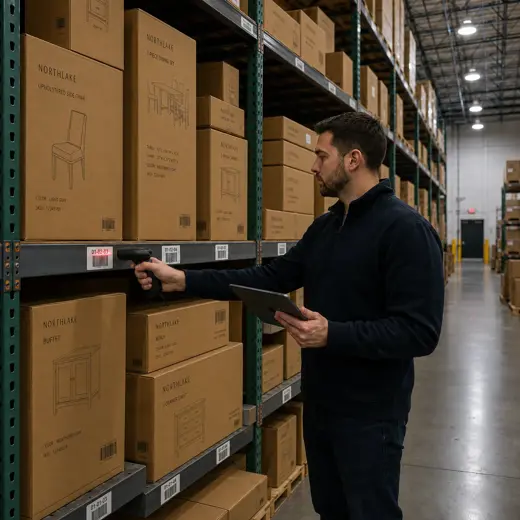
Furniture stores often sell from a showroom while inventory is held in a back room, warehouse or another location. MTPOS supports purchasing, receiving, counts, transfers and availability across the business.
- Order products by a minimum quantity alert
- ✓ Track eligible high-value items with serialized inventory
- ✓ Create purchase orders and receive incoming stock
- ✓ Transfer products between stores and warehouses
- ✓ Perform cycle counts and inventory audits
- ✓ Review showroom and warehouse availability through reporting
Create offers around complete spaces
Use advanced promotions to support coordinated room sets, collection launches, seasonal events and customer-specific offers.
Room-Set Offers
Build configured promotions around sofas and tables, dining sets, bedroom collections or office furniture.
Accessory Attach Sales
Add rugs, lamps, cushions, storage and other coordinating products to the main purchase.
Seasonal Campaigns
Support holiday, moving-season, outdoor or store-specific promotional periods.
Employee Sales Commission
Support configured commission workflows for knowledgeable, high-touch showroom selling.
Guide customers from identifying their room needs to selecting the right products, checking availability, and completing the sale.
Understand the Room
Identify the room, style, dimensions, material preferences and budget before narrowing the selection.
Compare Suitable Pieces
Review dimensions, finishes, colors, materials and collection details.
Confirm Availability
Check the showroom, warehouse or another supported location for the selected items.
Complete the Room
Add coordinating furniture, accessories and eligible service items.
Reserve and Complete
Hold eligible products when supported, process payment and keep the sale connected to customer and reporting data.
Reservation, fulfillment and service behavior depends on the selected MTPOS plan and store configuration.
Keep larger purchases and future room projects connected to the customer
Furniture purchases are often planned, compared and completed over time. MTPOS keeps supported customer programs connected to the wider retail workflow.
Customer Rewards
Encourage future room projects and accessory purchases through configured reward programs.
Gift Cards
Offer stored value for future furniture or home-accessory purchases.
Store Credit and Pay on Account
Support configured customer-service and account-based workflows in eligible editions.
Reservations
Hold eligible floor models, incoming pieces or selected products when the chosen configuration supports it.
Available capabilities depend on the selected MTPOS plan and store configuration.
Keep complex, high-value furniture purchases easy to manage from product selection through final payment.
MTPOS connects supported payment processing to the broader retail workflow, from a single accent piece to a complete room sale.
Card and Contactless Payments
Accept supported credit cards, debit cards, EMV, tap, swipe and contactless mobile payments.
PCI-Compliant Processing
Use PCI-compliant payment processing with end-to-end encryption through supported integrations.
Flexible Payment Methods
Support cash, cards, wire, PayPal, Stripe, checks and other configured payment methods.
Cash and Deposit Control
Manage configured registers, cash-safe workflows and bank deposits according to the selected edition.
Payment capabilities depend on the selected integrations, plan and configuration.
Keep the consultation on the showroom floor and extend selected products online
Give employees more flexibility during room planning and offer customers another way to browse selected furniture and accessories.
Mobile POS
Check dimensions, product details, variations, availability and customer information away from the fixed counter.
Online Store
Extend selected furniture and home accessories online while keeping operations connected to MTPOS.
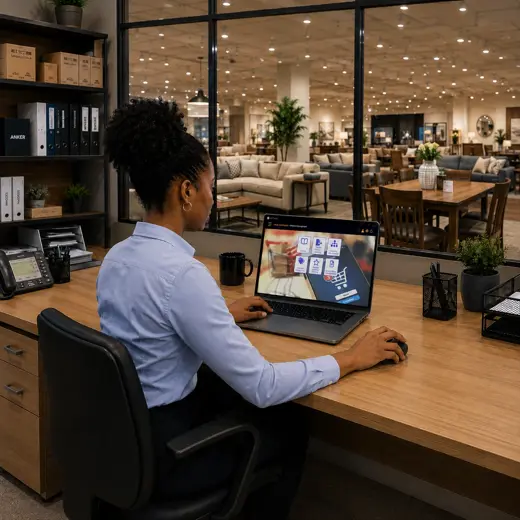
One platform for the showroom and the operation behind it
Point of Sale
Process furniture, accessories and configured service items in one transaction.
Non-Serialized Inventory
Manage most furniture, accessories and home products across the showroom and warehouse.
Serialized Inventory
Track eligible high-value or exact-unit products by serial number where configured.
Purchase Orders
Support purchasing, receiving and replenishment across furniture and accessory categories.
Advanced Promotions
Create configured offers around room sets, collections, seasons and related products.
Customer Programs
Use rewards, store credit, pay-on-account and gift cards to support future purchasing.
Employee Sales Commission
Support configured commission workflows for assisted-selling environments.
Reservations
Hold eligible floor models or incoming products when supported by the selected plan and configuration.
Multiple Stores and Transfers
Coordinate stock movement and availability across stores and warehouses.
Cash and Store Management
Manage configured registers, safes, bank deposits, business expenses and daily cash activity.
eCommerce and Data Import
Extend selected products online and accelerate onboarding through supported data-import capabilities.
Multi-Currency and Secure Payments
Support configured multi-currency workflows and secure payment processing through available integrations.
Available capabilities depend on the selected MTPOS plan, integrations and store configuration.
Expand with confidence while keeping collections, warehouse stock, and customer relationships fully connected and under control.
Start with one location and expand to more users, registers and stores while maintaining centralized catalog, inventory, payment and customer control.
For larger rollouts, custom requirements or private-cloud deployment, MicroTelecom also provides an enterprise path.
Choose the Right MTPOS Edition
Match your furniture operation with the required level of promotions, customer programs, serialization, online selling and multi-store control.
Questions Furniture Retailers Ask Before Choosing a POS
Connect showroom selling, warehouse inventory and complete room solutions in one platform
Use MTPOS to manage furniture, accessories, purchasing, promotions, customer programs, payments and store growth from one cloud retail platform.