1. Decide What You Are Going to Sell
Most online businesses sell physical products, services, digital products, subscriptions, education, or some combination of them. The best first business is not necessarily the one with the largest theoretical market. It is usually the one you can test cheaply, explain clearly, and deliver reliably.
| Business model | Examples | What makes it work |
|---|---|---|
| Physical products | Clothing, accessories, specialty goods, hobby products | Sourcing, pricing, fulfillment, shipping, returns |
| Services | Consulting, design, bookkeeping, marketing, repair | Expertise, a clear scope, scheduling, reliable delivery |
| Digital products | Templates, ebooks, software, research, downloads | Useful intellectual property and secure delivery |
| Subscriptions | Memberships, recurring services, software, paid content | Ongoing customer value, billing, retention |
| Dropshipping | Supplier-fulfilled consumer products | Product economics, supplier reliability, customer acquisition |
| Hybrid | Online store plus appointments, subscriptions, or retail locations | Connected customer, order, inventory, and fulfillment workflows |
A useful starting sentence is:
Start narrower than feels comfortable. A new store does not need 200 products. A consultant does not need six packages. A software product does not need every feature you can imagine. Start with the smallest offer that creates a meaningful customer result, then expand based on what customers actually buy and ask for.
2. Validate the Idea Before You Build Too Much
One of the most expensive mistakes in a new business is building first and looking for customers afterward. Reverse the order. Before spending heavily on inventory, branding, custom software, or advertising, look for evidence that real customers already have the problem you intend to solve.
Research the market
Identify businesses already serving similar customers. Compare their products, prices, positioning, customer reviews, delivery promises, return policies, and the channels they use to acquire customers. Competition is not automatically bad; it often proves that people already spend money to solve the problem.
Talk to potential customers
Ask how they solve the problem today, what frustrates them, what they have already purchased, what matters when choosing a provider, and what would make them switch. Avoid relying only on the question “Would you buy this?” Hypothetical enthusiasm is weak evidence.
Create a small test
Your first test might be a landing page, a limited product batch, a marketplace listing, a sample service, a preorder, or a manual version of something you eventually plan to automate. The purpose is not to look finished. It is to answer a more important question: can you persuade a real customer to take the next step?
3. Make Sure the Economics Work
Revenue is not profit. If an online store sells a product for $60, the business does not have $60 available for marketing and profit. The sale may include product cost, packaging, supplier shipping, payment fees, platform fees, advertising, refunds, replacements, and customer support.
A simple formula to learn early
Selling price − variable cost to fulfill the sale = contribution before fixed expenses
Then subtract the cost of acquiring the customer. What remains has to cover fixed expenses such as software, payroll, bookkeeping, insurance, and eventually profit.
The same logic applies to services. A $300 project that consumes 12 hours produces $25 per working hour before business expenses and taxes. Before deciding that a price “sounds competitive,” calculate what the business actually keeps.
Know your break-even point
Estimate monthly fixed expenses and determine approximately how many profitable sales you need to cover them. You do not need a sophisticated financial model on day one, but you do need a plausible path to positive cash flow.
Interactive Tool
4. Online Business Startup Cost Calculator
Estimate one-time setup costs, recurring monthly costs, and a basic cash reserve.
One-time startup costs
Recurring monthly costs
This calculator is for planning, not accounting or legal advice. It intentionally excludes taxes and per-sale variable costs, which depend on your product and sales volume. Use the dropshipping calculator below for a more detailed per-order example.
5. Create a One-Page Business Plan
Unless you are seeking financing or investors, a new business usually does not need a long plan filled with assumptions. It does need a clear operating hypothesis. Answer the following questions on one page and update the answers as you learn.
| Question | What you need to decide |
|---|---|
| What are we selling? | The first product, service, or offer |
| Who is the customer? | A specific customer group, not “everyone” |
| What problem are we solving? | The reason a customer should care |
| Why would someone choose us? | Selection, convenience, expertise, service, price, speed, or another credible difference |
| What will we charge? | A price supported by the economics |
| Where will customers discover us? | One or two realistic acquisition channels |
| How will they buy? | Checkout, quote, appointment, invoice, subscription, or another defined path |
| How will we deliver? | Fulfillment, service delivery, download, access, or scheduling process |
| What is our 90-day goal? | A measurable learning or sales target |
| What would make us change direction? | A pre-decided signal that the current approach is not working |
6. Choose a Business Name, Domain, and Basic Brand
Choose a name that is easy to remember, easy to spell, and flexible enough to accommodate reasonable future expansion. Before committing, check domain availability, relevant business-name registrations, and potentially conflicting trademarks.
For U.S. businesses, the U.S. Patent and Trademark Office provides trademark basics and guidance on searching for similar marks before filing.
Your initial brand does not need to be elaborate. A readable name or logo, consistent visual choices, and clear messaging are enough for most first launches. Customers care more about whether you solve their problem than whether you spent six weeks choosing a logo.
7. Set Up the Business Properly
Legal structure, registration, tax IDs, licenses, insurance, and sales-tax obligations vary by location and business activity. In the United States, the U.S. Small Business Administration explains that registration and licensing requirements depend on business structure, location, and activity.
Separate the business financially
Establish an appropriate business bank account and bookkeeping process. Record revenue, fees, refunds, inventory purchases, advertising, subscriptions, contractor payments, and other expenses from the beginning. Do not wait until tax season to determine whether the business made money.
If your U.S. business needs an EIN, obtain it directly from the IRS. The IRS issues EINs free of charge and advises legal entities such as LLCs and corporations to form the entity before applying for an EIN.
8. Decide Where You Will Sell - and Choose a Platform You Can Grow Into
You do not necessarily need to choose between an established marketplace and your own website. A marketplace can provide access to an existing audience and can be useful for testing demand. Your own website gives you more control over your brand, customer relationship, content, analytics, and long-term marketing.
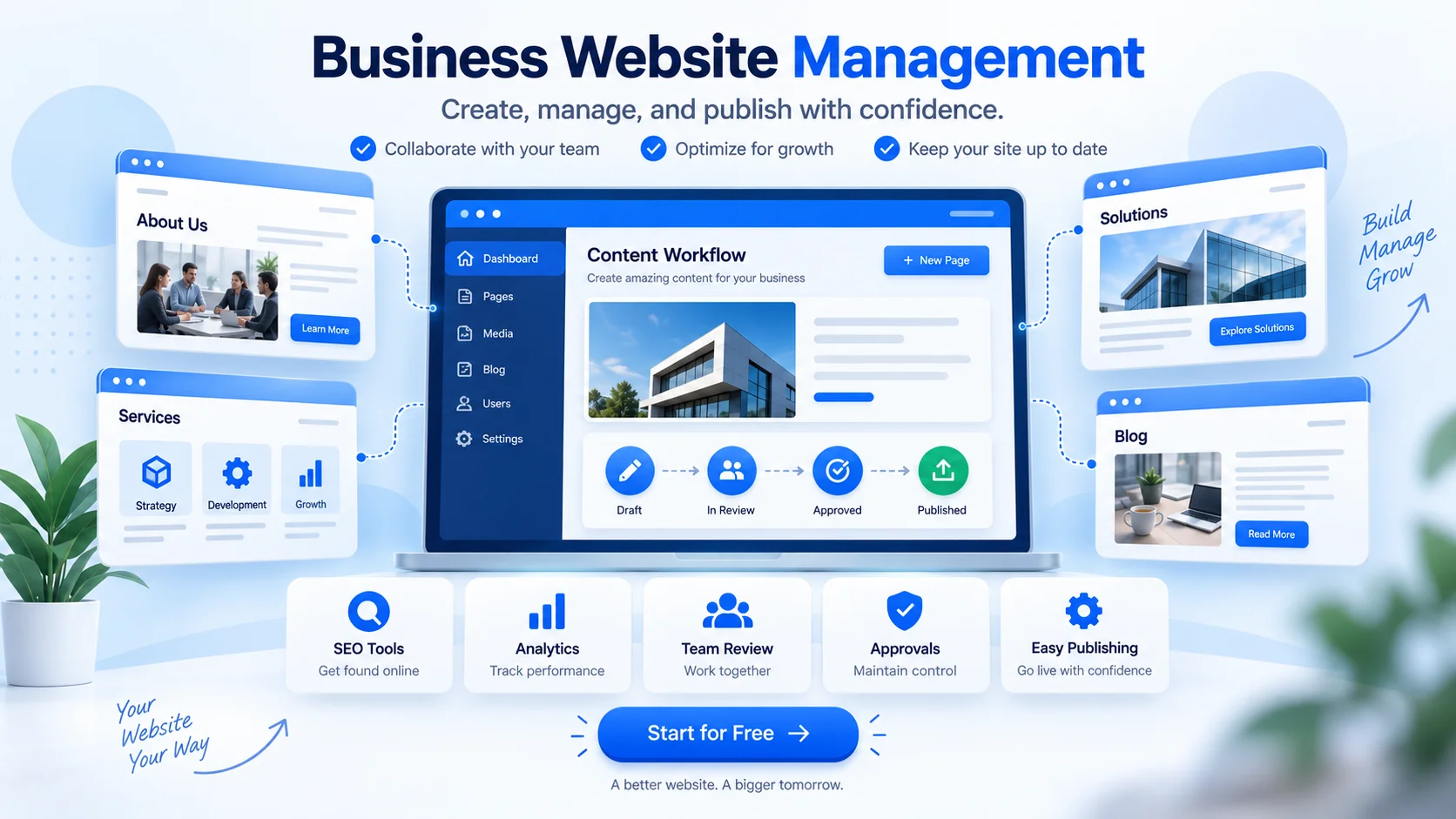
The important decision is not simply which tool can publish a page fastest—or which one costs the least today. It is whether the website you start with can remain the foundation of the business as your content, traffic, customer relationships, and sales become more valuable. Rebuilding later can mean moving pages, URLs, analytics, customer workflows, and integrations after you have already invested time and money in them.
Before choosing a website or commerce platform, check these things
Make sure today's site can become tomorrow's site
- A hosted subdomain is fine for getting started. Make sure you can connect your own domain later without rebuilding the website.
- Confirm that secure HTTPS is included from the beginning, even before you purchase a custom domain.
- Make sure you have real CMS control over pages, articles, navigation, metadata, URLs, and layout—not only a fixed starter template.
- Understand what happens to your content, customer data, URLs, and integrations as you upgrade or if you ever decide to move.
Look beyond today's feature list
- Can ecommerce be enabled without rebuilding the website?
- Can customer accounts, subscriptions, billing, appointments, surveys, and support be added when the business actually needs them?
- Can you see useful visitor and customer activity without assembling a separate analytics stack for basic questions?
- What is the realistic total cost after necessary apps, plugins, integrations, and specialist help are included?
A hosted platform is not inherently a problem, and neither is starting on a provider subdomain. What matters is whether the platform gives you a clean path forward. You should be able to add a custom domain when you are ready, keep control of your content and layout, and expand the business without replacing the site just because you now need selling, billing, scheduling, support, or other capabilities.
Also consider how many separate systems the business will eventually have to maintain. A website can look inexpensive until ecommerce, forms, billing, analytics, surveys, appointments, customer support, and other functions each require a separate service, plugin, account, integration, or specialist. An integrated platform can reduce that complexity—but only if you can enable what you need gradually rather than paying for everything on day one.
Start simple, then grow without rebuilding
A practical starting point should let you publish a professional site in minutes, manage pages and articles with a full CMS, customize the experience, use AI assistance when it helps with content creation, and enable selling or customer-service capabilities later without starting over.
You can begin on a free hosted address such as yourbusiness.mtstore.net, yourbusiness.mtcart.net, or yourbusiness.mtcart.store. Service-focused businesses can also begin with a hosted service-desk address such as yourbusiness.helpdeskpro.com. Connect your own domain later when the business is ready for it.
9. Build the Minimum Website You Need to Sell
A small business website does not need dozens of pages. It needs enough information for a potential customer to understand what you sell, why they should trust you, what it costs, and what they should do next.
Core content
- Clear home page and value proposition
- Product or service information
- About and contact information
- Frequently asked questions where useful
- Shipping, returns, cancellation, or service policies
Customer experience
- Works properly on phones and tablets
- Fast, understandable checkout or inquiry flow
- Obvious primary action
- Secure account and payment workflow
- Analytics and conversion tracking before advertising
Make the primary action obvious: Buy Now, Add to Cart, Book an Appointment, Request a Quote, Start a Trial, or another action that matches the business. Every unnecessary step creates another opportunity to lose the customer.
Use AI to accelerate content—not to replace judgment
AI can help draft product descriptions, FAQs, landing pages, articles, email copy, and alternate versions of existing content. That can make a small team much more productive. Treat the output as a draft: verify factual claims, remove generic filler, match the business's actual policies and voice, and make sure the final page answers the questions a real customer would ask.
Simple is good. Fragmented gets expensive.
There is nothing wrong with starting with a small site, a free hosted address, or only the features you need today. The problem begins when every new requirement means adding another provider or replacing the original site. If you expect to add an online store, recurring billing, appointments, customer accounts, surveys, visitor tracking, or customer support later, check whether those capabilities can be enabled on the same foundation.
Compare the total operating cost, not only the entry price. Separate hosting, paid plugins, ecommerce extensions, form tools, email services, analytics, support software, security maintenance, and specialist help can turn an inexpensive website into a surprisingly complex technology stack.
Interactive Tool
10. Dropshipping Profit Calculator: Test the Product Before You Scale It
Dropshipping removes the need to purchase and store large quantities of inventory, but it does not remove the economics of retail. The supplier price is only one part of the cost of an order. Advertising, payment fees, discounts, refunds, chargebacks, and supplier shipping can turn an apparently high-margin product into a loss.
Dropshipping unit economics
Revenue and fulfillment
Fees, acquisition, and losses
Monthly projection
Pricing target
| Net revenue after discount | $0.00 |
|---|---|
| Supplier product + shipping + duties | $0.00 |
| Payment + platform fees | $0.00 |
| Expected refund / chargeback loss | $0.00 |
| Other variable cost | $0.00 |
| Contribution before advertising | $0.00 |
| Advertising / CAC | $0.00 |
| Profit before monthly fixed expenses | $0.00 |
Before you advertise a dropshipped product
- Order the product yourself and inspect the quality.
- Measure actual delivery time rather than relying only on the supplier estimate.
- Check packaging, tracking information, and customer notifications.
- Understand who pays when an item is damaged, late, lost, or returned.
- Know the supplier's replacement and refund rules.
- Track contribution profit, not only revenue or ROAS screenshots.
- Keep enough cash available to fund supplier orders while customer payments are still settling.
The numbers work? Test the product in a real online store.
A dropshipping store still needs a product catalog, checkout, customer accounts, shipping rules, order tracking, returns, and a reliable supplier-fulfillment workflow. Start with the smallest store that can complete that customer journey, then expand after the economics are proven.
11. Set Up Payments, Billing, Security, and Customer Communication
Configure the payment methods appropriate for your business and customers. Understand when the provider transfers money to your bank, how refunds work, how disputes or chargebacks are handled, and how payment fees affect your margin. Then perform a real test transaction.
Protect the email account associated with your domain and payment accounts, enable multi-factor authentication where available, use unique passwords or a password manager, limit administrator access, and make sure your domain cannot expire because an old card stopped working.
Selling memberships or recurring services?
Recurring businesses need more than a one-time payment link. Plan for customer registration, billing schedules, renewals, failed payments, invoices, upgrades, downgrades, cancellations, and customer self-service.
If recurring revenue is part of the business model, it is usually cleaner to keep subscriptions, one-time purchases, customer accounts, invoices, and website content connected rather than building a separate customer experience around every transaction type.
Add Recurring Billing12. Build the Operation Before You Launch
A successful marketing campaign can become an operational problem if the business is not ready to deliver. Define what happens after the customer clicks Buy, Book, Subscribe, or Request a Quote.
Physical products
Sourcing, inventory, product quality, packaging, fulfillment time, shipping, lost parcels, damaged goods, returns, and customer support.
Services
Scope, intake, appointments, delivery timelines, revisions, cancellations, staff assignment, invoicing, and out-of-scope work.
Digital / subscription
Access delivery, account security, entitlement, billing, renewals, cancellations, updates, and support.
For appointment-based businesses
If customers need to choose a service, staff member, or time slot, scheduling belongs in the customer journey—not in a separate manual spreadsheet. Define booking, confirmation, reminders, rescheduling, cancellation, staff visibility, and what happens when the service is completed and paid for.
The same platform does not need every feature on day one, but it helps if appointments can later connect to the customer record, service history, billing, support, and in-person checkout instead of becoming another disconnected calendar.
When online sales turn into inventory and retail
A business may start with supplier fulfillment and later stock fast-moving items, offer pickup, or open a showroom or store. At that point, online availability, purchasing, receiving, stock counts, transfers, returns, and in-person sales need to stay aligned.
When you reach that stage, look for inventory and point-of-sale tools that can share the same product, customer, order, and fulfillment workflow rather than creating a second version of the business for the physical location.
Connect Online & In-Person Sales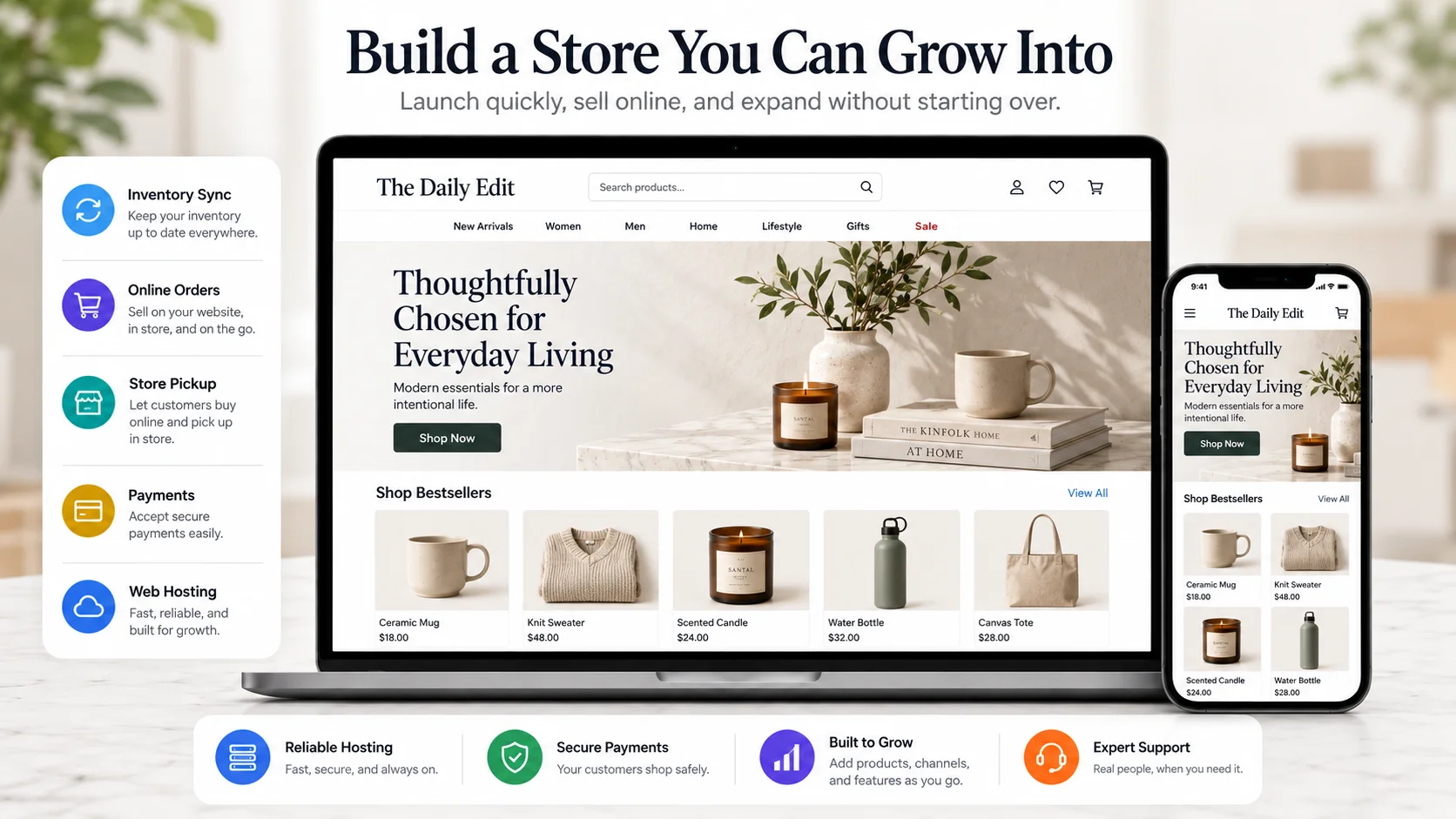
13. Create a Marketing System, Not a List of Marketing Channels
“Use social media” is not a marketing plan. Your plan should answer two questions: where will potential customers discover you, and what will persuade them to take the next step?
Possible acquisition channels include organic search, useful content, social media, online communities, marketplaces, partnerships, referrals, email, events, direct outreach, and paid advertising. You do not need all of them. A new business is often better served by becoming competent at one primary acquisition channel than being mediocre on six.
Build an audience you can reach again
Where appropriate, give interested visitors a reason to join an email list, create an account, request a quote, or otherwise establish a direct relationship. A social-media follower is primarily controlled by the platform. A customer or subscriber relationship gives you a more durable way to communicate—provided you use it responsibly.
Interactive Checklist
14. Are You Actually Ready to Launch?
A launch-ready business is one where a customer can discover you, understand the offer, determine what it costs, buy or contact you, receive what was promised, and get help if something goes wrong. Use this checklist before sending significant traffic to the site.
Online Business Launch Checklist
15. What to Do in the First 90 Days
Make the customer journey work
Fix confusion, broken steps, fulfillment issues, weak product information, support gaps, and anything preventing a clean transaction.
Find what is actually working
Identify the products, services, messages, channels, and customer groups producing the strongest response. Remove unnecessary work.
Invest behind evidence
Increase inventory carefully, automate repetitive tasks, strengthen successful channels, and document operating processes that are now repeated.
Measure a small set of useful numbers
| Metric | What it tells you |
|---|---|
| Qualified visitors or leads | Whether the right people are discovering the business |
| Conversion rate | Whether visitors become customers |
| Average order / contract value | How much the typical sale is worth |
| Contribution margin | What remains after variable costs |
| Customer acquisition cost | What you spend to acquire a customer |
| Refund / return rate | Whether quality or expectation problems may exist |
| Repeat purchase rate | Whether customers come back |
| Cash balance and cash flow | Whether the business can continue operating while it grows |
Do not scale simply because a few customers purchased. Scale when you have enough evidence that additional volume is likely to produce additional profit rather than additional operational problems.
Choose Tools That Can Grow With the Business
A new business should not buy software for problems it does not have. Starting free or very small can be the right decision. The goal is simply to avoid painting yourself into a corner.
The opposite mistake is assembling the business one feature at a time from unrelated services: one company for the website and hosting, another for ecommerce, another for billing, another for scheduling, another for surveys or analytics, and yet another for customer support. Each may be affordable by itself, but integrations, separate logins, duplicate customer data, plugin updates, compatibility problems, and specialist maintenance add cost and friction over time.
A better approach is to start with the capabilities you need now on a platform that can enable more later. Your website may begin as a few pages and articles on a free hosted subdomain. Later it may need a custom domain, ecommerce, recurring billing, customer accounts, appointments, surveys, visitor tracking, a help desk, inventory, or point of sale. If those additions can happen without throwing away the work already completed, the platform has room to grow with you.
Start with what you need today
Launch the website you need today—even on a free hosted subdomain—and add your own domain only when it makes sense. Selling, billing, scheduling, customer-service, inventory, and in-person capabilities can come later without replacing the pages, content, and customer experience you already built.
Integrated does not mean paying for everything now. It means having a clear path to enable the next capability when the business is ready for it.
Final Thought: Launch a Complete Customer Journey, Not a Perfect Company
You do not need hundreds of products, perfect branding, every automation, or a large audience before you begin. You need a customer who can discover the business, understand the offer, buy it, receive what was promised, and get help when needed.
Start small. Measure what happens. Fix what does not work. Invest more heavily in what does. That is how an online business moves from an idea to a real operation—and eventually to a business that can grow.